I recently hopped on the anti-clutter bandwagon. Reading Karen Kingston's Clear Your Clutter with Feng Shui was the real impetus behind my decluttering spree. She writes about the emotional and physical benefits of decluttering your space and delves into why people hang on to clutter. I tried a few of her techniques and immediately noticed a difference in my attitude and feelings.
I also love GTD. It's a fabulous book. I love this system of organization but it's not exactly geared toward people who are visual learners. Luckily, I ran across a great piece of software designed around GTD principles but instead of written lists, you have visual cues and "To Do" bubbles. It's called Goal Enforcer and you can read more about it here.
With Goal Enforcer, you can print out "To Do" lists, e-mail yourself reminders, etc. I love it. It's also pretty inexpensive.
I have tried Google Calendar but for some reason, it won't e-mail me my reminders. I've had better luck using the Zoho Planner that I learned about while using Zoho during the first ihcpl. After looking at the other websites, I have to say that I'm sticking with Goal Enforcer and Zoho Planner. They are both easier to use and work better for me.
Monday, March 24, 2008


Thursday, November 29, 2007
Week 10, 23 The End?
I really loved this training and the idea of "virtual" training. I think we should do more "virtual" training. Why?
1. Everyone can participate. Many times, a great training comes along but only a few people from a branch can attend it because we have to have someone to run the library. With e-training, everyone reaps the benefit of training.
2. Money. The county saves money since they don't have to pay mileage.
3. You know people are actually absorbing the information being presented. Since they have to post their experiences, you know they are really trying out the software, websites, etc.
As for the information presented, I was surprised to discover some new sites. I loved
Animoto and Zoho.
As for applications, I already use most to them anyway. I use Flickr for my YA photos and YouTube for our YA Scenes and Screens videos. I will probably demonstrate some of the things like Animoto, Zoho, and Odeo for Teen Tech Week.
Goodbye, and thanks for all the fish.
1. Everyone can participate. Many times, a great training comes along but only a few people from a branch can attend it because we have to have someone to run the library. With e-training, everyone reaps the benefit of training.
2. Money. The county saves money since they don't have to pay mileage.
3. You know people are actually absorbing the information being presented. Since they have to post their experiences, you know they are really trying out the software, websites, etc.
As for the information presented, I was surprised to discover some new sites. I loved
Animoto and Zoho.
As for applications, I already use most to them anyway. I use Flickr for my YA photos and YouTube for our YA Scenes and Screens videos. I will probably demonstrate some of the things like Animoto, Zoho, and Odeo for Teen Tech Week.
Goodbye, and thanks for all the fish.
Week 9, #22 Downloadable Media
I really love that we offer free downloadable media. My main problem with the free sites is that the audiobooks don't have the same quality as professional audiobooks. Most of them are done my volunteer readers and many times the audio quality is just not as good as the "real" thing.
I like Wowio, but I still prefer Overdrive. Overdrive is much easier to use and has a lot more titles.
Overall, I like our system best.
I was a bit disappointed with Amazon's new e-reader Kindle because it won't download free media, just books you've bought from Amazon. Hopefully, they will correct this in their next upgrade because I would love to have one to use with Overdrive.
I like Wowio, but I still prefer Overdrive. Overdrive is much easier to use and has a lot more titles.
Overall, I like our system best.
I was a bit disappointed with Amazon's new e-reader Kindle because it won't download free media, just books you've bought from Amazon. Hopefully, they will correct this in their next upgrade because I would love to have one to use with Overdrive.
Week 9, #21 Podcast Exercise
I've been putting this exercise off for a while because I wanted to post a link to our YA podcast, but since I'm having trouble with the conversion program, I thought I would just go ahead, do the post, and add the podcast at a later date.
This summer, I did a podcasting class for our YA summer reading program. We went over the technical and production aspects of putting together a podcast and then did on off the cuff podcast. It turned out to be quite funny with a lively discussion of the then new Harry Potter book and general teenage snarkery.
I loved the Odeo link because the one technical hurdle we had was the fact that you can't download software to our laptops. Instead of using a laptop, I used a digital voice recorder and then uploaded the podcast to my computer at home so I could edit it and add music. For this summer, I want to do it again and this year, will try Odeo.
As for podcasts, I love Emo Girl Talk and subscribed to several Joss Whedonverse podcasts.
As for myself, I will be taking my digital voice recorder with me this January and podcasting "live" from the Houston Marathon. I am doing the Half Marathon (13.1 miles) and will record my experience for posterity.
This summer, I did a podcasting class for our YA summer reading program. We went over the technical and production aspects of putting together a podcast and then did on off the cuff podcast. It turned out to be quite funny with a lively discussion of the then new Harry Potter book and general teenage snarkery.
I loved the Odeo link because the one technical hurdle we had was the fact that you can't download software to our laptops. Instead of using a laptop, I used a digital voice recorder and then uploaded the podcast to my computer at home so I could edit it and add music. For this summer, I want to do it again and this year, will try Odeo.
As for podcasts, I love Emo Girl Talk and subscribed to several Joss Whedonverse podcasts.
As for myself, I will be taking my digital voice recorder with me this January and podcasting "live" from the Houston Marathon. I am doing the Half Marathon (13.1 miles) and will record my experience for posterity.
Thursday, November 15, 2007
Week 9, #20 YouTube
I chose this video because not only does it feature me and my teens, but also because it's a great way for libraries to get their message across by using humor.
I even have a YouTube account that I use with my teens. I have virtual booktalks, DIY videos and more.
I think YouTube is a wonderful, creative tool that libraries need to use as much as they use MySpace.
Thursday, November 08, 2007
Thursday, November 01, 2007
Week 8, #19 Zoho
I've used Google docs before so this is my first time playing around with Zoho. I love the interface and the ability to publish to your blog. In fact, that's how I'm writing this post.
I've used Writeboard before to do collaborative writing but it doesn't have as many bells and whistles as Zoho and Google docs.
Actually, the Zoho document that I was most impressed with as the Zoho planner. I like having my "To Do" list online so I can work on it wherever I go.
It also functions as a great backup for important work just in case something goes wrong with your computer (or server). If you were on the road, you could upload a presentation just in case something goes haywire with your jump drive or your CD/DVD.
Wednesday, October 31, 2007
Week 8, #18 Social Networking
I've been doing the social networking thing for a long time. I started with LiveJournal which combines blogging with an element of social networking. Unlike Blogger, LJ has a system where people can "Friend" you and read private journal entries much like MySpace and Facebook.
I added MySpace a few years ago when Eric did a MySpace class for my YA kids. I created a page along with the teens.
For my YA group, I created a Yahoo 360 page at 360.yahoo.com/ata4ya. I post information about YA events, photos, and book reviews.
I also belong to several YA groups on social networking sites like ReaderGirlz on MySpace. YALSA and ALA also have MySpace pages.
I've been kicking around the idea of getting a Dogster account.
I loved Rate My Space. It was really interesting to see people's decorating ideas.
I added MySpace a few years ago when Eric did a MySpace class for my YA kids. I created a page along with the teens.
For my YA group, I created a Yahoo 360 page at 360.yahoo.com/ata4ya. I post information about YA events, photos, and book reviews.
I also belong to several YA groups on social networking sites like ReaderGirlz on MySpace. YALSA and ALA also have MySpace pages.
I've been kicking around the idea of getting a Dogster account.
I loved Rate My Space. It was really interesting to see people's decorating ideas.
Monday, October 29, 2007

Friday, October 26, 2007
My Dream Library
ImaginOn at BOFA Conference, Stockholm, 5/9/07
From: lkilkka, 5 months ago

ImaginOn is an exciting new facility in Charlotte, NC combining a library for children and teens and a professional children's theatre.
SlideShare Link

Thursday, October 25, 2007
Week 7, #17 Technology
I have a long history when it comes to technology. I got my first computer back in 1985. It was an Atari 82bit with an external floppy drive (the 5" floppies, not the wimpy 3.5 ones). My parents wouldn't spring for a modem but I had a friend with a rocking 300baud modem so we could cruise Bulletin Board Systems (BBS). When I wanted to save a document, I could literally walk away, have lunch, and when I returned, it might be finished saving.
At the time, the idea of having a computer in your pocket that could connect you to the whole world was just something out of science fiction. The idea of an iPhone or a Blackberry was unheard of let alone "social networking" or computers in libraries.
Now, I have friends all over the world thanks to LiveJournal, I write a webzine with a group of ladies from Philadelphia that I've never actually met in person, I order books from Amazon and everything you can imagine from eBay, I renew my library books online, I found our house on har.com, and I even dated someone I met on Match.com. Technology is no longer an amusing toy, it's a part of my daily life.
At the time, the idea of having a computer in your pocket that could connect you to the whole world was just something out of science fiction. The idea of an iPhone or a Blackberry was unheard of let alone "social networking" or computers in libraries.
Now, I have friends all over the world thanks to LiveJournal, I write a webzine with a group of ladies from Philadelphia that I've never actually met in person, I order books from Amazon and everything you can imagine from eBay, I renew my library books online, I found our house on har.com, and I even dated someone I met on Match.com. Technology is no longer an amusing toy, it's a part of my daily life.
Week 7, #16 Tricky Wikis
I love Wikis. They come in extremely handy if you are working on a group project and need a way to share resources with your coworkers.
Wikis are a great way to organize information. The Summer Reading Wiki that Monique did last year was a wonderful resource and I hope she does it again.
As for research, the only caveat is to be careful and know your sources. Since Wikis have reader submitted content, you can end up with misinformation (deliberately or accidentally). Like all information on the web, you have to know who you are dealing with and verify, verify, verify.
Wikis are a great way to organize information. The Summer Reading Wiki that Monique did last year was a wonderful resource and I hope she does it again.
As for research, the only caveat is to be careful and know your sources. Since Wikis have reader submitted content, you can end up with misinformation (deliberately or accidentally). Like all information on the web, you have to know who you are dealing with and verify, verify, verify.
Privacy and E-mail: Not Even Pulitzer Prize Winners Are Immune
Think the e-mail you send to a few people is private? Maybe not so much. Read this. The moral to the story--if you don't want information shared with the world, don't send it via e-mail.
Wednesday, October 24, 2007
Week 6, #15, Library 2.0
If you do a Google search for Library 2.0, you get 144,000,000 hits so obviously Library 2.0 is a hot topic.
I think L2.0 is all about changing the way we serve our customers.
Eventually, I think we will see the reference section dwindle down to a few shelves or disappear completely as most of those resources move to the web. This will free up more space for "pleasure" reading books (everything from romance to home decor), computer stations, and social areas.
And yes, I think books play a part of L2.0. Even with e-readers, audio books, Playaways, etc., I think the experience of reading a book will keep books around for a long time. Also, economically and environmentally, books are still the better option. I know most people will think that e-books are a great way to save the planet, but in truth, there are only a few components of a computer that are recyclable and quite a few elements that are toxic. With the proliferation of e-readers, iPhones, and other tech devices, we are faced with the dilemma of how to dispose of these items once they become obsolete. For more information, check out Coop America here. On the other hand, books are biodegradable and can be produced from recycled paper (as was the case for the new Harry Potter book).
In the end, I see our library evolving into a high tech community center with everything from storytimes to computer classes to e-reference.
I think L2.0 is all about changing the way we serve our customers.
Eventually, I think we will see the reference section dwindle down to a few shelves or disappear completely as most of those resources move to the web. This will free up more space for "pleasure" reading books (everything from romance to home decor), computer stations, and social areas.
And yes, I think books play a part of L2.0. Even with e-readers, audio books, Playaways, etc., I think the experience of reading a book will keep books around for a long time. Also, economically and environmentally, books are still the better option. I know most people will think that e-books are a great way to save the planet, but in truth, there are only a few components of a computer that are recyclable and quite a few elements that are toxic. With the proliferation of e-readers, iPhones, and other tech devices, we are faced with the dilemma of how to dispose of these items once they become obsolete. For more information, check out Coop America here. On the other hand, books are biodegradable and can be produced from recycled paper (as was the case for the new Harry Potter book).
In the end, I see our library evolving into a high tech community center with everything from storytimes to computer classes to e-reference.
Week 6, #14 Technorati
I enjoyed looking around Technorati and claimed a few of my 11 blogs. It was pretty easy to navigate and I can see it being useful to search for blogs.
My main problem is that blogs that aren't registered with them don't show up at all. I ran a search for a specific phrase and it came up with one blog pertaining to that phrase. Even when I tried different variations, it still didn't find much. I personally have 5 blogs pertaining to the subject so if it was a wide reaching search, it would have found it. Overall, I can name about 25 blogs with that phrase and none of them showed up in Technorati.
Overall, I think I will stick with Google when it comes to searching for blogs.
If I know a blog is on LiveJournal, I usually use the LiveJournal Seek. It has a pretty comprehensive listing of topics and tags used on LJ. It will even seek out particular words or phrases in a journal.
The popular journals on Technorati were interesting. I subscribed to some cool productivity ones and there were quite a few that I already read.
I was a bit disappointed that one of the sites that I was really interested in (43 Folders) was not accessible in IE.
My main problem is that blogs that aren't registered with them don't show up at all. I ran a search for a specific phrase and it came up with one blog pertaining to that phrase. Even when I tried different variations, it still didn't find much. I personally have 5 blogs pertaining to the subject so if it was a wide reaching search, it would have found it. Overall, I can name about 25 blogs with that phrase and none of them showed up in Technorati.
Overall, I think I will stick with Google when it comes to searching for blogs.
If I know a blog is on LiveJournal, I usually use the LiveJournal Seek. It has a pretty comprehensive listing of topics and tags used on LJ. It will even seek out particular words or phrases in a journal.
The popular journals on Technorati were interesting. I subscribed to some cool productivity ones and there were quite a few that I already read.
I was a bit disappointed that one of the sites that I was really interested in (43 Folders) was not accessible in IE.
Thursday, October 18, 2007
Week 6, #13 Not Really Del.icio.us, More Like Yummy
I've been using Del.icio.us for quite a few years so it's not quite as exciting to me as it is to most people. The tool bar makes life so much easier because you can add a site and tag with a few clicks of the mouse.
I think it's useful in a library environment because you can easily share resources and you can discover new resources to use during your research.
I think it's useful in a library environment because you can easily share resources and you can discover new resources to use during your research.
Thursday, October 11, 2007
Week 5, #12 Library Elf
Even though I probably won't be using this application much myself, I think it would be really handy for patrons with multiple library cards or who frequent several different library systems. Since we live in an area where people can visit libraries in 3 or more systems, I think this tool would be handy in sorting out which books goes where.
My main concern with LE is privacy. Here's an interested article on Library Elf and privacy. Here is another article.
After doing some further research, I found out that Library Elf is relatively easy to hack since most people use relatively simple pin numbers.
In the end, my privacy is far more important than knowing when my books are due.
My main concern with LE is privacy. Here's an interested article on Library Elf and privacy. Here is another article.
After doing some further research, I found out that Library Elf is relatively easy to hack since most people use relatively simple pin numbers.
In the end, my privacy is far more important than knowing when my books are due.
Tuesday, October 09, 2007
Week 5, Post 11: Library Thing
You can see my Library Thing here.
I've actually been doing LibraryThing for a long time, but due to privacy concerns, I started a new one for this project. You will have to figure out what that means yourself. '-)
I love LibraryThing. If you really get into it, you can buy a CueCat personal handheld scanner that makes cataloging even easier.
The social aspects of LT are also fun. You can meet people, exchange book recs, and find more new books to read (as if that's actually a problem).
I also added a widget showing the items in my library.
I've actually been doing LibraryThing for a long time, but due to privacy concerns, I started a new one for this project. You will have to figure out what that means yourself. '-)
I love LibraryThing. If you really get into it, you can buy a CueCat personal handheld scanner that makes cataloging even easier.
The social aspects of LT are also fun. You can meet people, exchange book recs, and find more new books to read (as if that's actually a problem).
I also added a widget showing the items in my library.
Monday, October 08, 2007
Week 5, #10 My Gaia Online Avatar

My Gaia Online avatar. One of them. This is the one that represents me. All the others are characters from Buffy the Vampire Slayer.
The bunny is actually the Mimzy from The Last Mimzy and the flowers were a gift from one of my teens. If you have never tried Gaia, it's worth checking out. It's like Second Life, only a lot more fun. Dude, you get money for kicking trees and shaking bushes. So much for what my parents always said about money growing on trees.
Week 5, Assignment #10
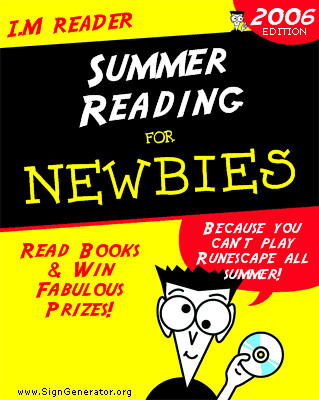
From www.signgenerator.org. I actually created this for the 2006 Summer Reading Program.
Subscribe to:
Posts (Atom)